> ## Documentation Index
> Fetch the complete documentation index at: https://docs.sympana.com/llms.txt
> Use this file to discover all available pages before exploring further.
# Call Completed (Retell)
> Use Call Completed to send finished call data into your GoHighLevel workflows.
Use **Call Completed** when you want your GoHighLevel workflow to run after a call has finished.
This trigger gives you access to post-call data such as the call summary, transcript, recording URL, sentiment, outcome fields, timestamps, and other call details that you can map into GoHighLevel actions.
This is usually the best trigger for your **post-call workflow**.
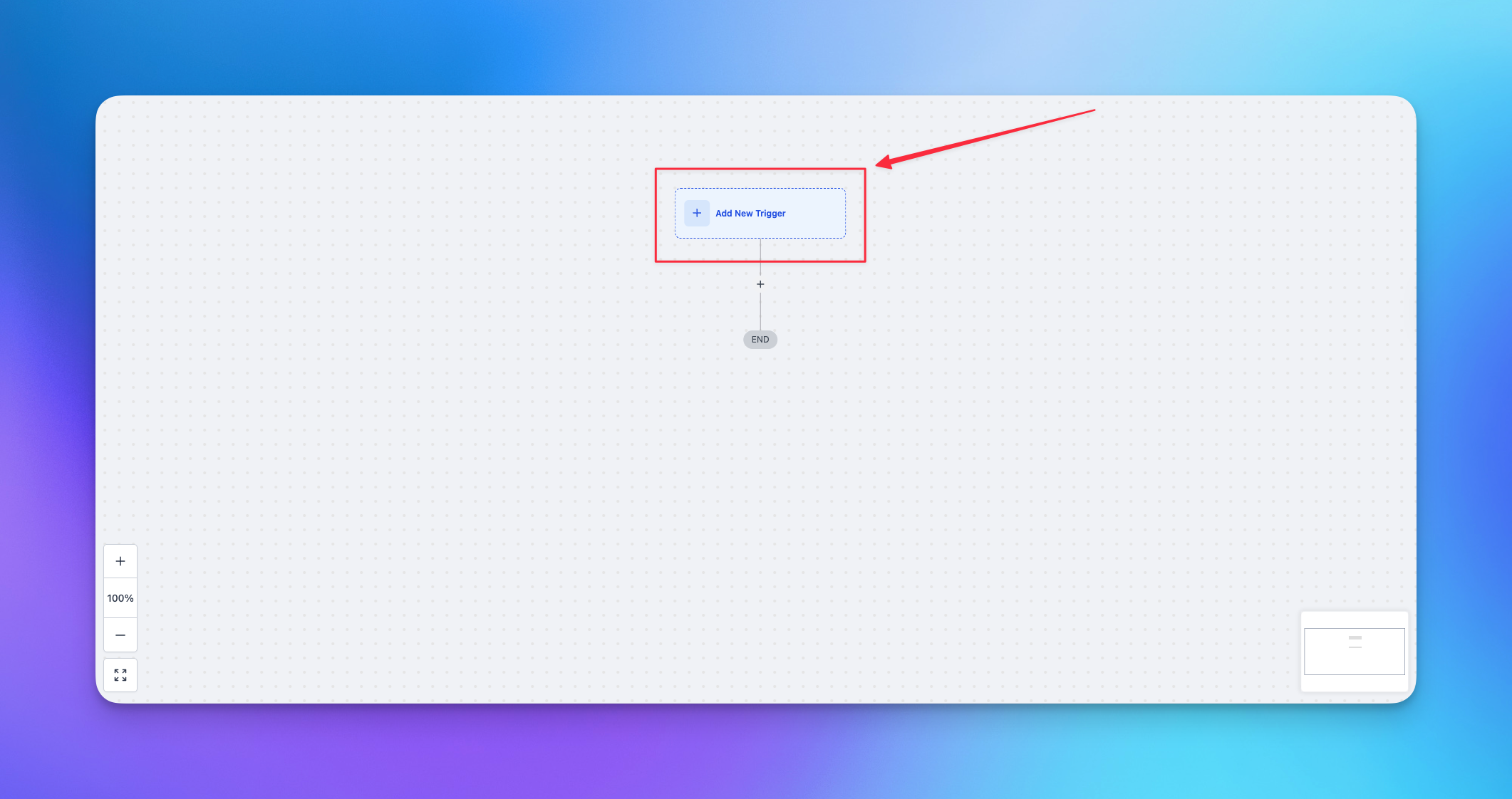
## Step 1. Add a new trigger
Add a new trigger in your GoHighLevel workflow.
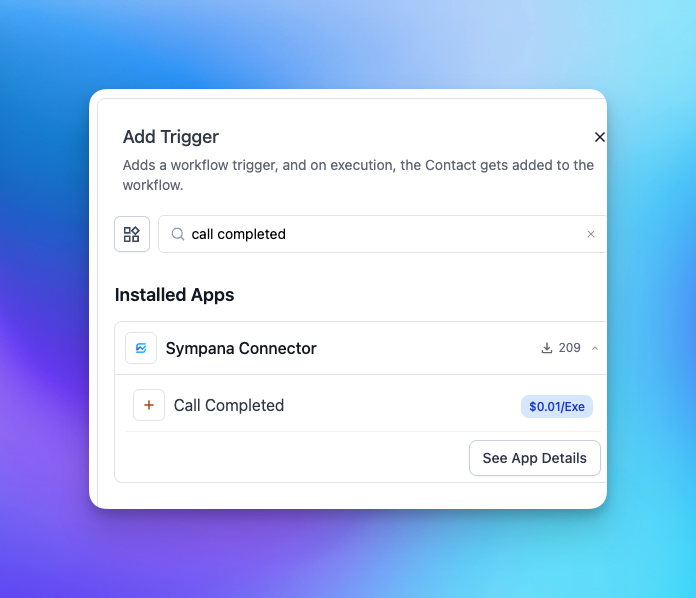
 ## Step 2. Select Call Completed
Search for **Call Completed** and select it.
## Step 2. Select Call Completed
Search for **Call Completed** and select it.
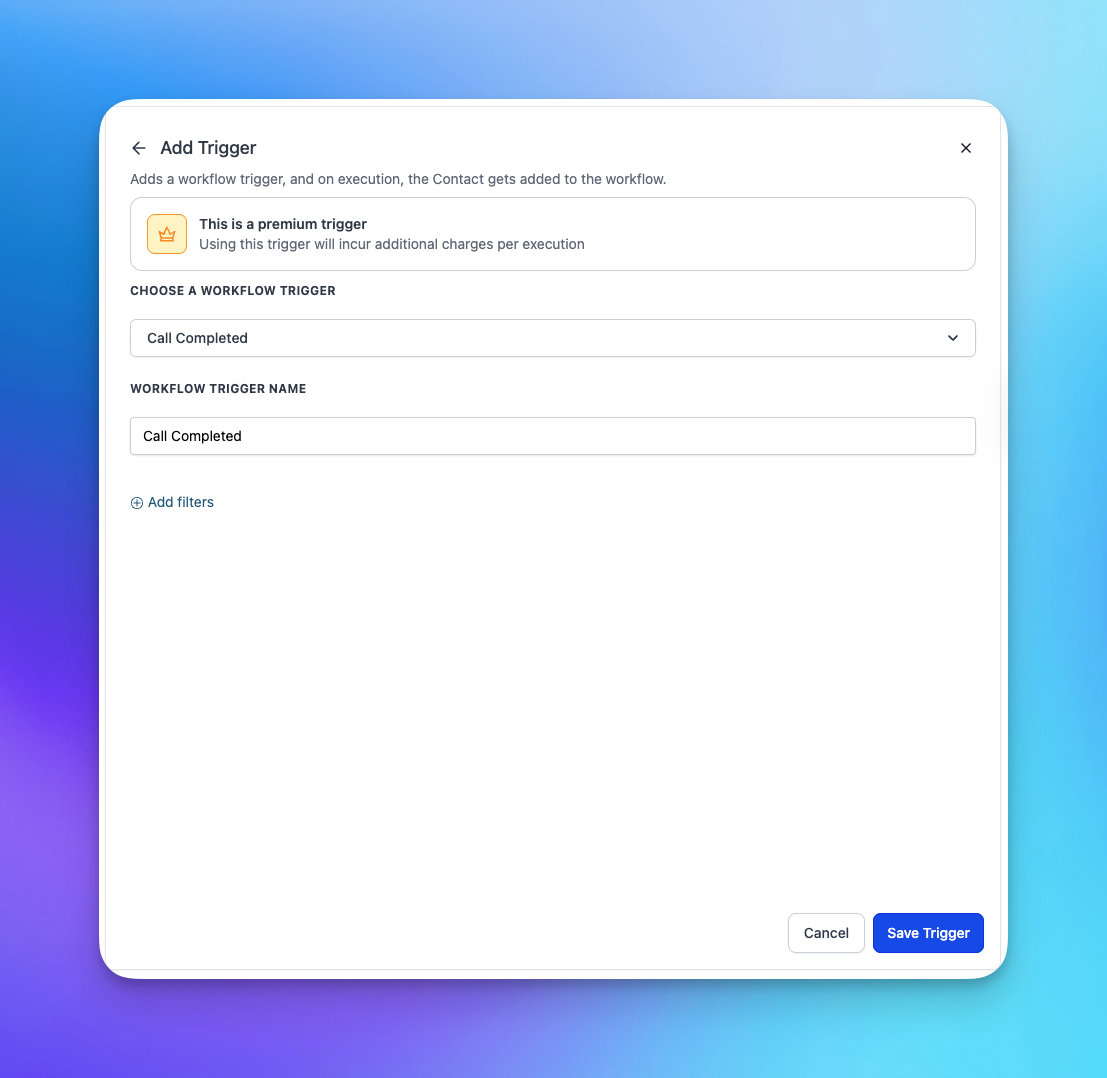
 ## Step 3. Save the trigger
Once you save it, your workflow can run whenever a supported Sympana call finishes.
## Step 3. Save the trigger
Once you save it, your workflow can run whenever a supported Sympana call finishes.
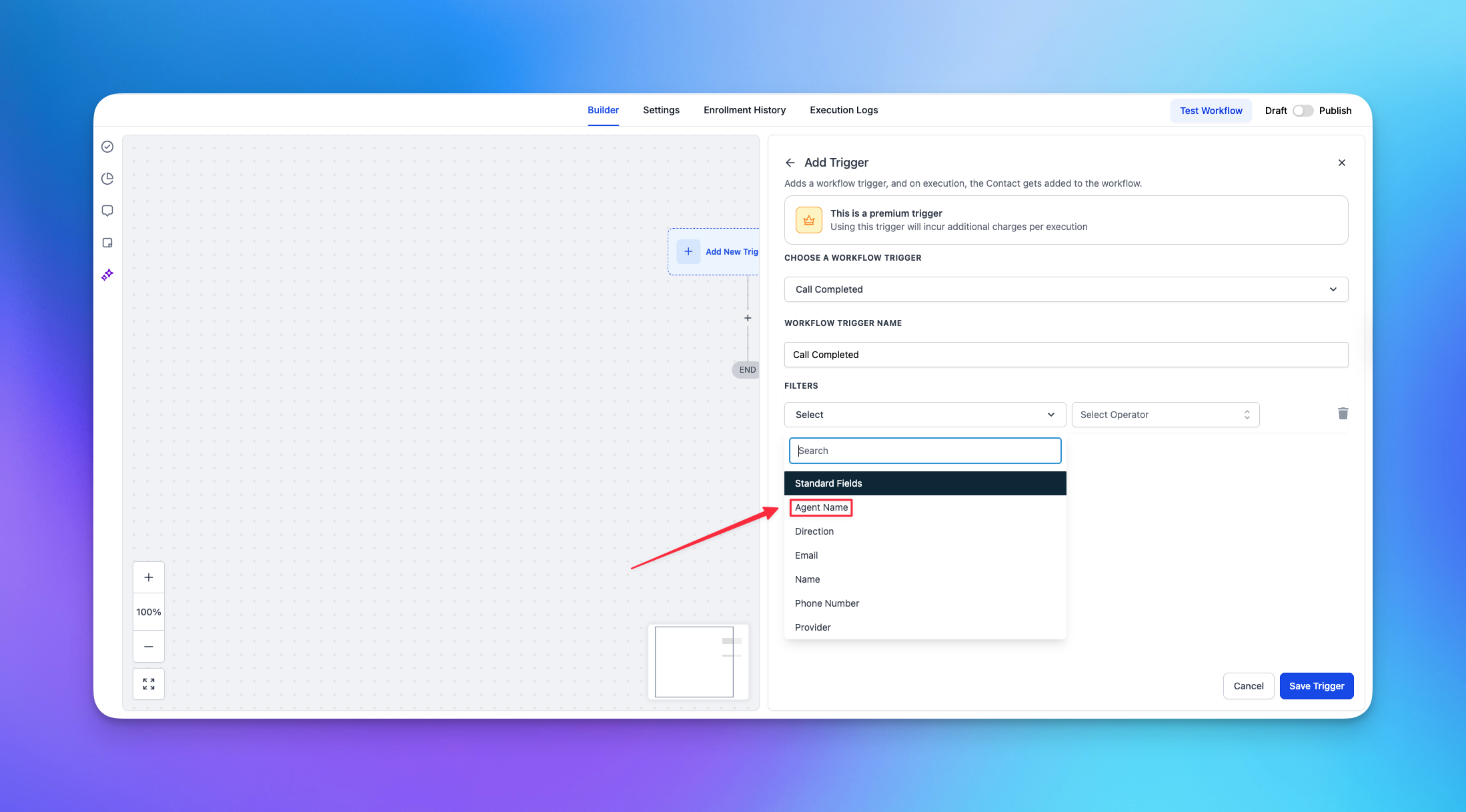
 ## Step 4. Filter by agent if needed
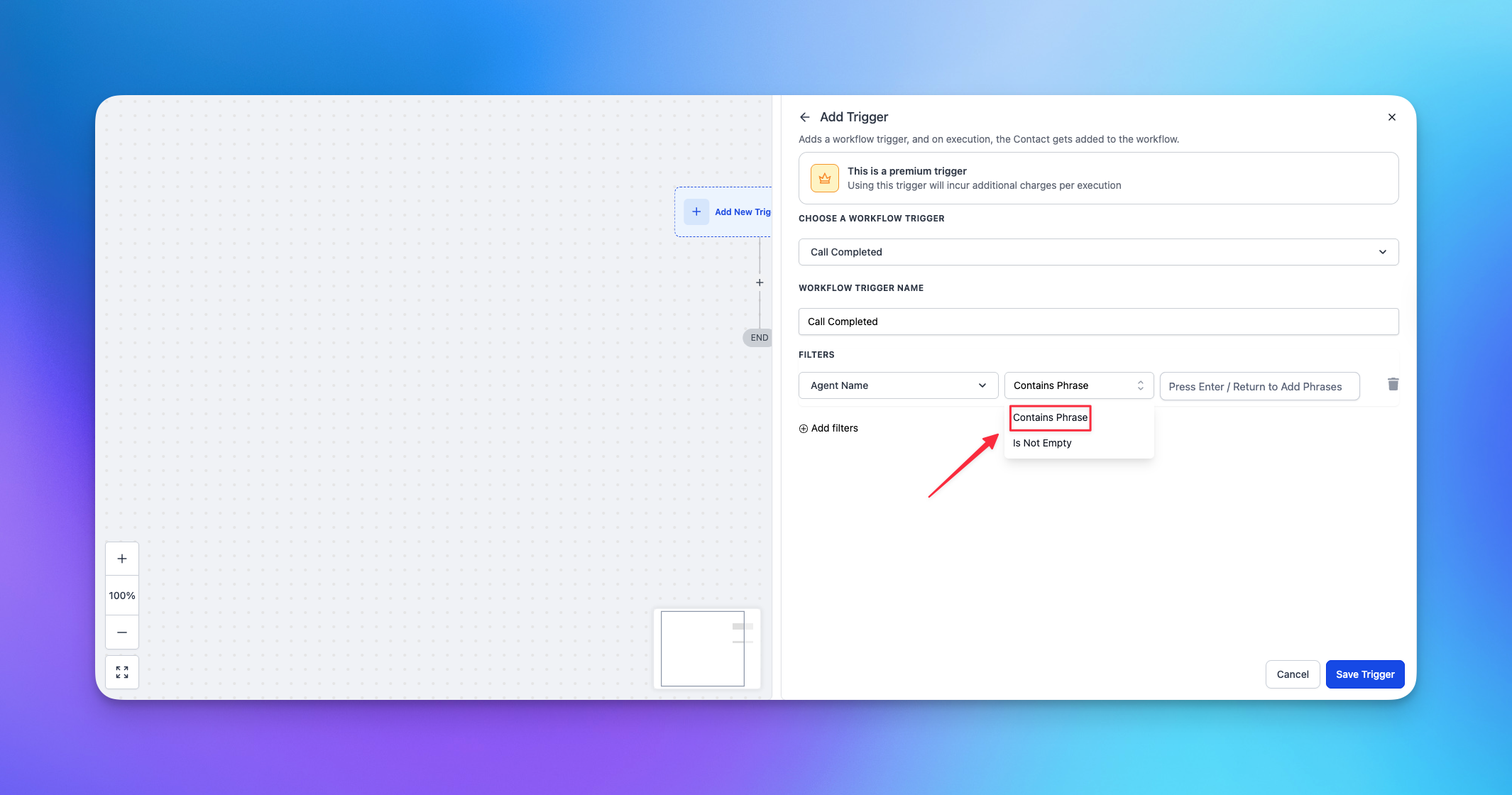
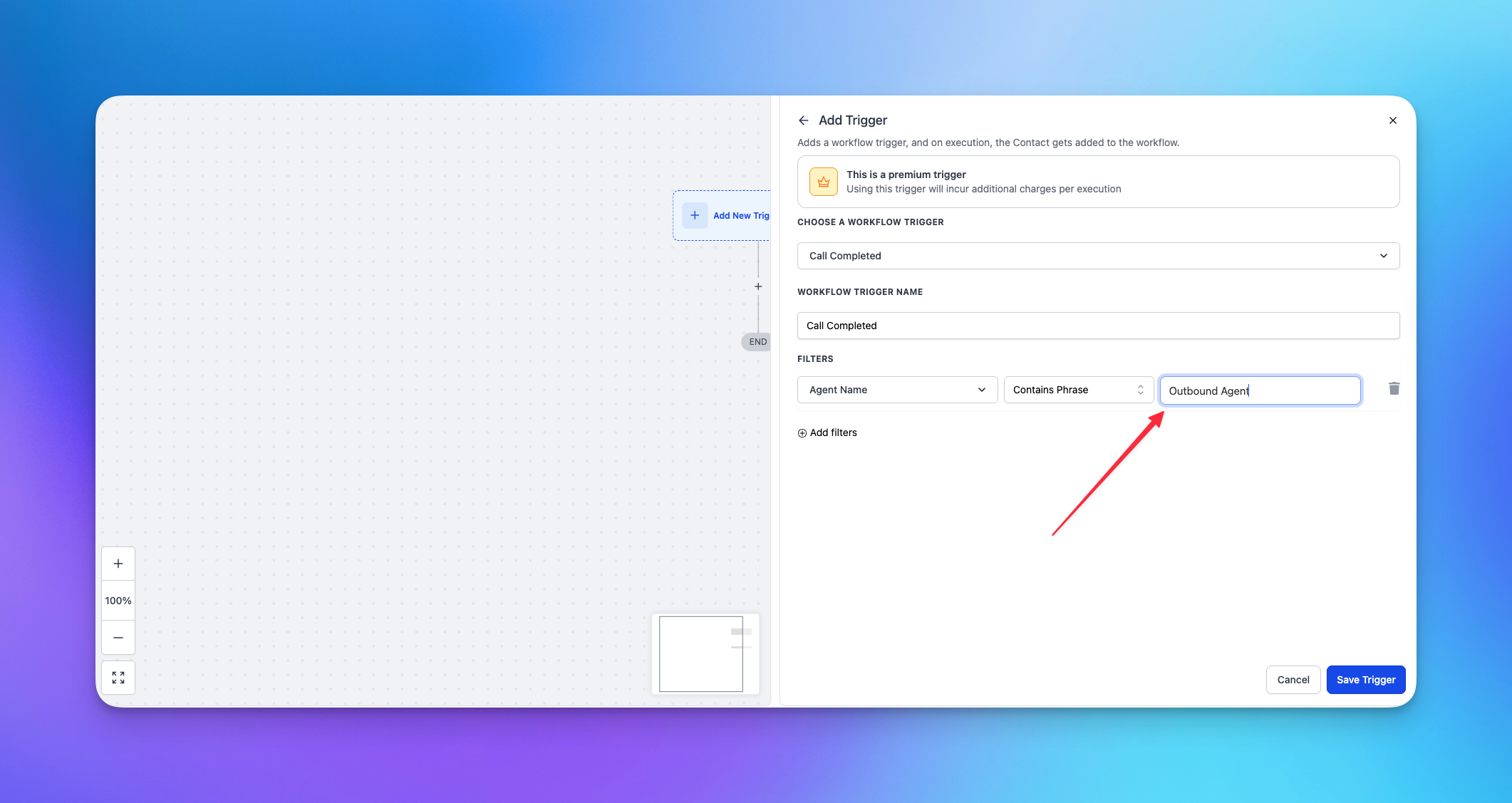
If you only want data from one specific agent, click **Add Filter**, choose **Agent Name**, set the condition to **Contains Phrase**, then enter the exact agent name you want to match.
## Step 4. Filter by agent if needed
If you only want data from one specific agent, click **Add Filter**, choose **Agent Name**, set the condition to **Contains Phrase**, then enter the exact agent name you want to match.
 ## Step 5. Use Call Completed values in later actions
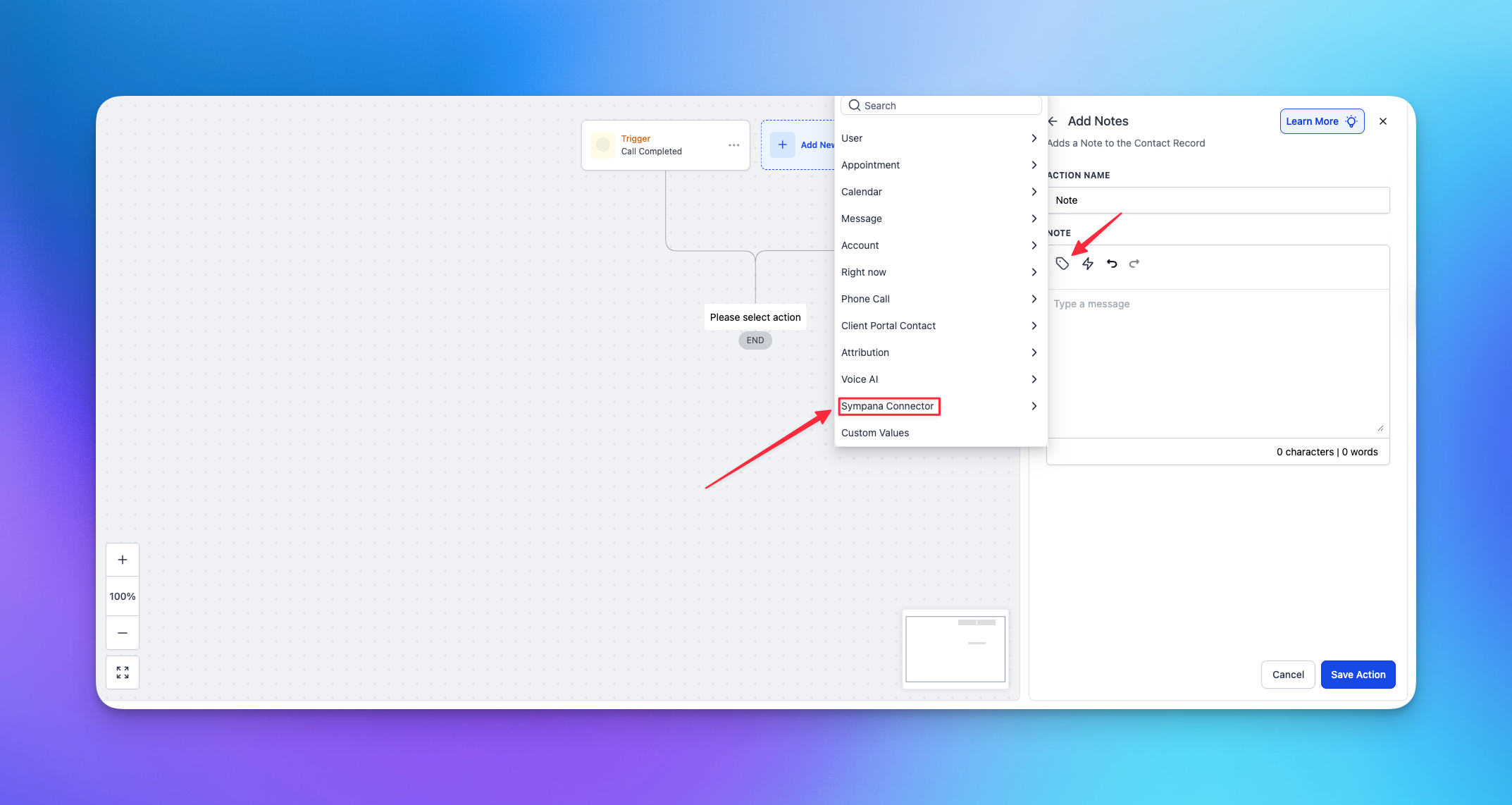
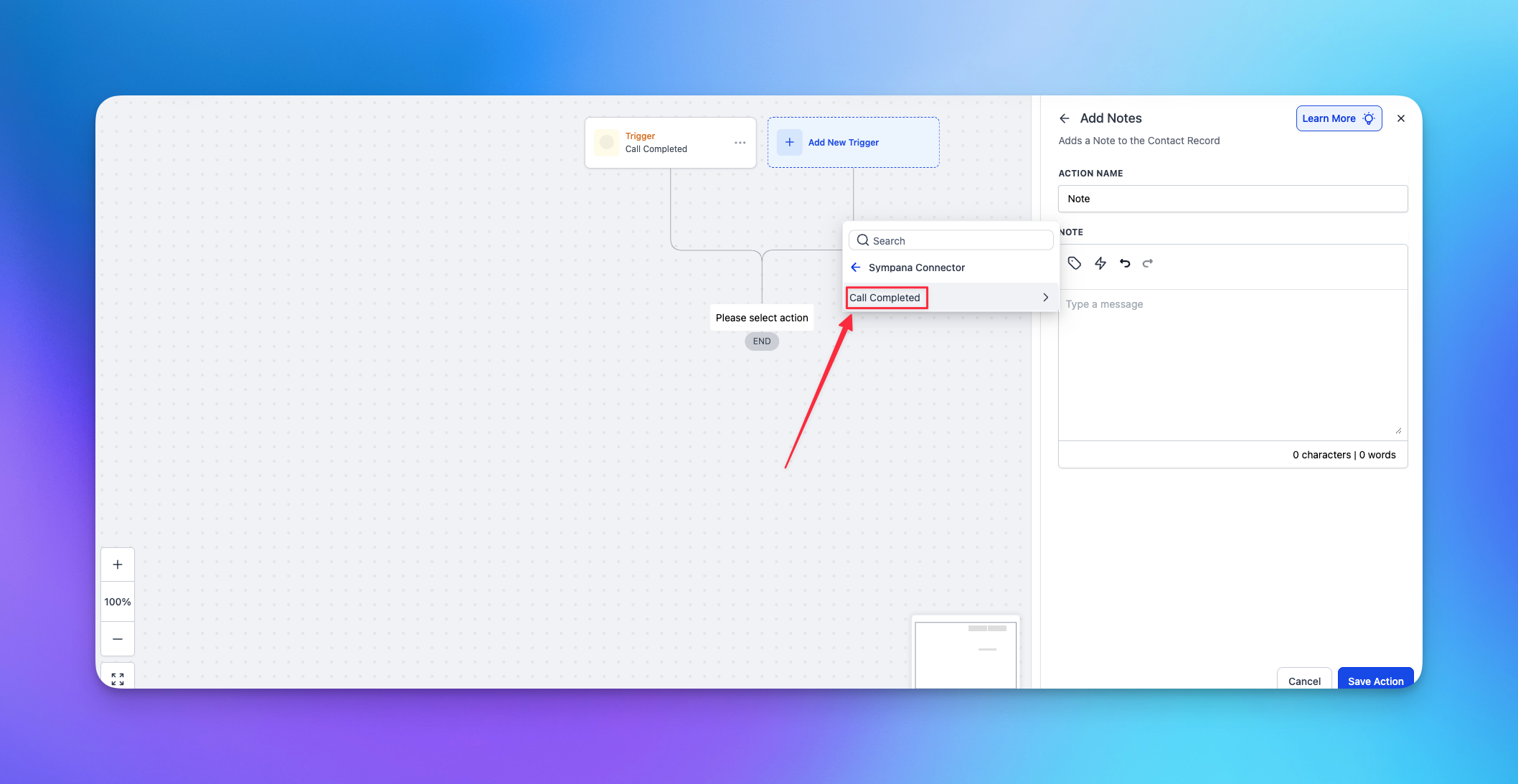
Pick an action that supports custom values, such as **Add Note**, then open the custom value picker, choose **Sympana Connector**, and select **Call Completed**.
## Step 5. Use Call Completed values in later actions
Pick an action that supports custom values, such as **Add Note**, then open the custom value picker, choose **Sympana Connector**, and select **Call Completed**.
 ## Step 6. Choose the fields you want to use
Map values like the call summary, transcript, customer details, timestamps, and recording links into your workflow.
## Step 6. Choose the fields you want to use
Map values like the call summary, transcript, customer details, timestamps, and recording links into your workflow.
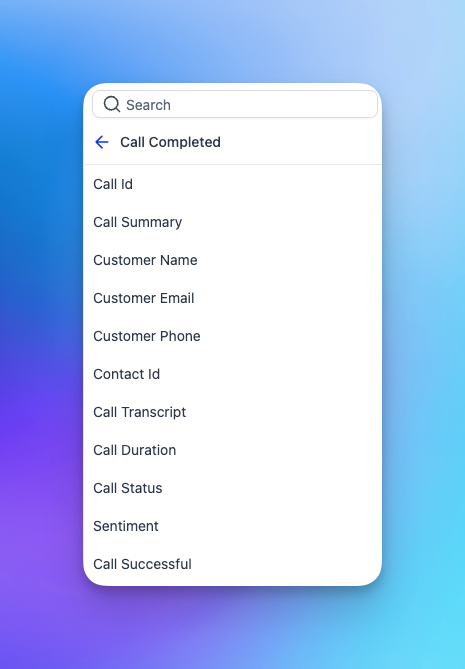
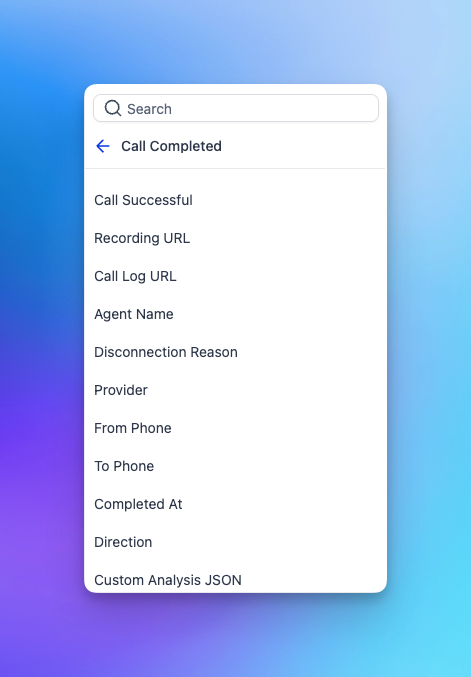
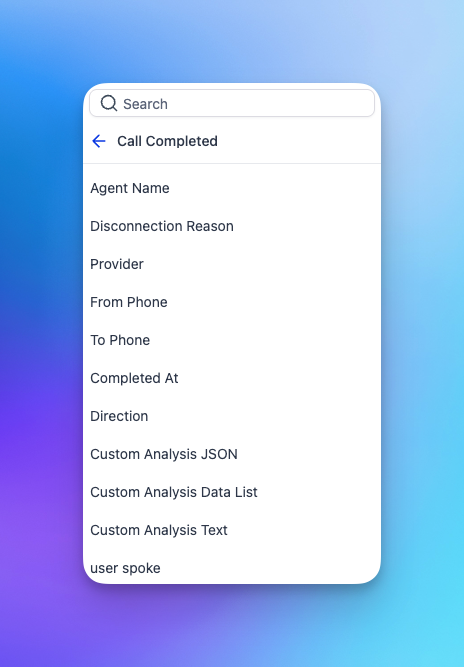 ## What each value means
| Value | Meaning |
| -------------------- | -------------------------------------------------------------------------------------------------------------------------------------------------- |
| Call ID | The Retell call ID. Use this to identify the call. |
| Call Summary | Retell’s default call summary. |
| Customer Name | The customer’s name. This is usually available when the call was placed through Sympana Connector. |
| Customer Email | The customer’s email. This is usually available when the call was placed through Sympana Connector. |
| Customer Phone | The customer’s phone number. This is usually available when the call was placed through Sympana Connector. |
| Contact ID | The GoHighLevel contact ID tied to the call. This usually appears when the lead already exists in GoHighLevel or was created through the workflow. |
| Call Transcript | The full transcript or call log. |
| Call Duration | The length of the call. |
| Call Status | The final call status, such as ended, error, or not connected. |
| Sentiment | Retell’s sentiment result. Useful, but not a perfect quality score. |
| Call Successful | Retell’s default success signal for whether the call achieved its goal. |
| Recording URL | A downloadable link to the call recording. |
| Call Log URL | A direct link to the full call log. |
| Agent Name | The name of the agent that handled the call. |
| Disconnection Reason | The reason the call ended or disconnected. |
| Provider | The providers involved in the call. |
| From Phone | The phone number the call came from. |
| To Phone | The phone number the call was sent to. |
| Completed At | The time the call finished. |
| Direction | Whether the call was inbound or outbound. |
| Custom Analysis Text | The post-call analysis text. |
| User Spoke | A true or false value showing whether the AI connected with a person. |
## Best practice
Use **Call Completed** in a separate post-call workflow. That keeps your outbound workflow clean and makes debugging much easier.
If something is not working the way you expect, [join the Sympana Discord server](https://discord.gg/QXk7ddhmZQ) to get the fastest support from someone on the Sympana team.
## What each value means
| Value | Meaning |
| -------------------- | -------------------------------------------------------------------------------------------------------------------------------------------------- |
| Call ID | The Retell call ID. Use this to identify the call. |
| Call Summary | Retell’s default call summary. |
| Customer Name | The customer’s name. This is usually available when the call was placed through Sympana Connector. |
| Customer Email | The customer’s email. This is usually available when the call was placed through Sympana Connector. |
| Customer Phone | The customer’s phone number. This is usually available when the call was placed through Sympana Connector. |
| Contact ID | The GoHighLevel contact ID tied to the call. This usually appears when the lead already exists in GoHighLevel or was created through the workflow. |
| Call Transcript | The full transcript or call log. |
| Call Duration | The length of the call. |
| Call Status | The final call status, such as ended, error, or not connected. |
| Sentiment | Retell’s sentiment result. Useful, but not a perfect quality score. |
| Call Successful | Retell’s default success signal for whether the call achieved its goal. |
| Recording URL | A downloadable link to the call recording. |
| Call Log URL | A direct link to the full call log. |
| Agent Name | The name of the agent that handled the call. |
| Disconnection Reason | The reason the call ended or disconnected. |
| Provider | The providers involved in the call. |
| From Phone | The phone number the call came from. |
| To Phone | The phone number the call was sent to. |
| Completed At | The time the call finished. |
| Direction | Whether the call was inbound or outbound. |
| Custom Analysis Text | The post-call analysis text. |
| User Spoke | A true or false value showing whether the AI connected with a person. |
## Best practice
Use **Call Completed** in a separate post-call workflow. That keeps your outbound workflow clean and makes debugging much easier.
If something is not working the way you expect, [join the Sympana Discord server](https://discord.gg/QXk7ddhmZQ) to get the fastest support from someone on the Sympana team.