> ## Documentation Index
> Fetch the complete documentation index at: https://docs.sympana.com/llms.txt
> Use this file to discover all available pages before exploring further.
# Wait Until Calling Window (Retell)
> Use Wait Until Calling Window to delay calls until the lead can be contacted at the right local time.
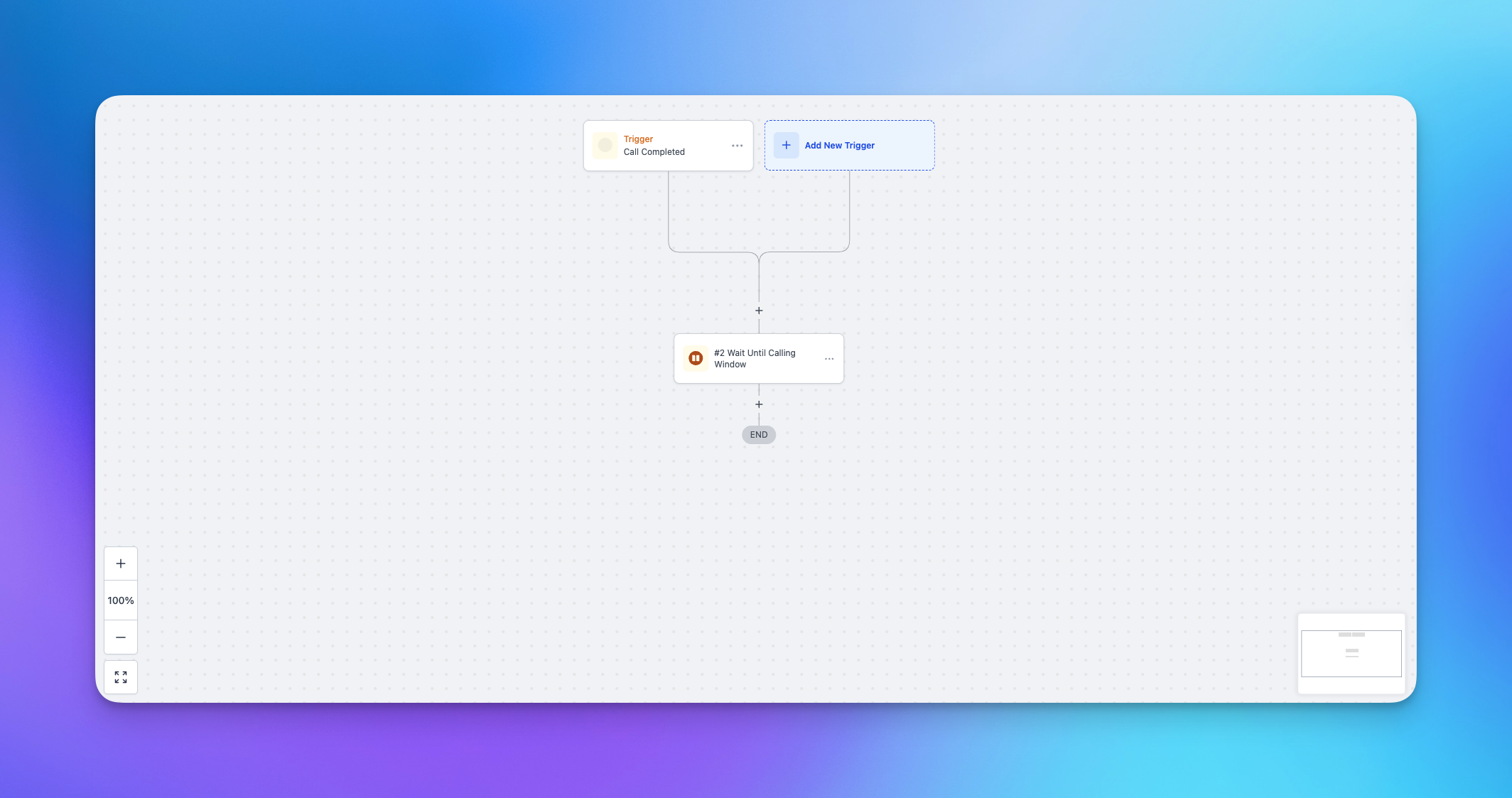
Use **Wait Until Calling Window** when you want Sympana Connector to delay the next step in your workflow until the lead can be contacted during the right calling hours.
This action is more advanced than a normal wait step because it can use the **lead’s local timezone** instead of your account timezone.
That helps you:
* call leads during the right hours in their timezone
* stay more aligned with compliance requirements
* avoid off-hour calls
* improve answer rates by calling at better times
## Why this action matters
A normal wait step pauses your workflow based on your account settings. **Wait Until Calling Window** is built for outbound calling workflows where timing should follow the lead, not the account.
## Step 1. Add the action
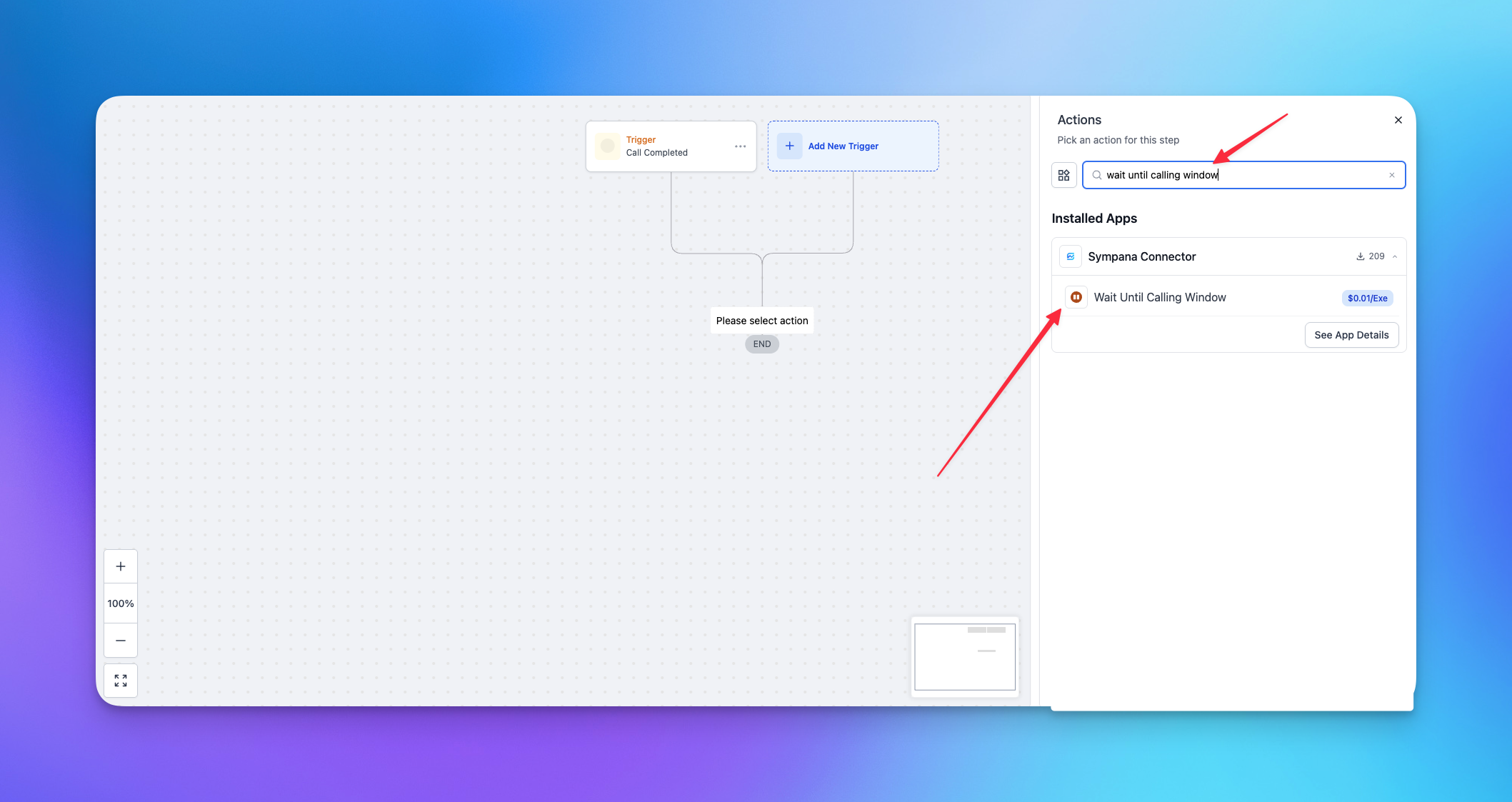
Add a new action in your GoHighLevel workflow and search for **Wait Until Calling Window**.
 ## Step 2. Choose the timing rules
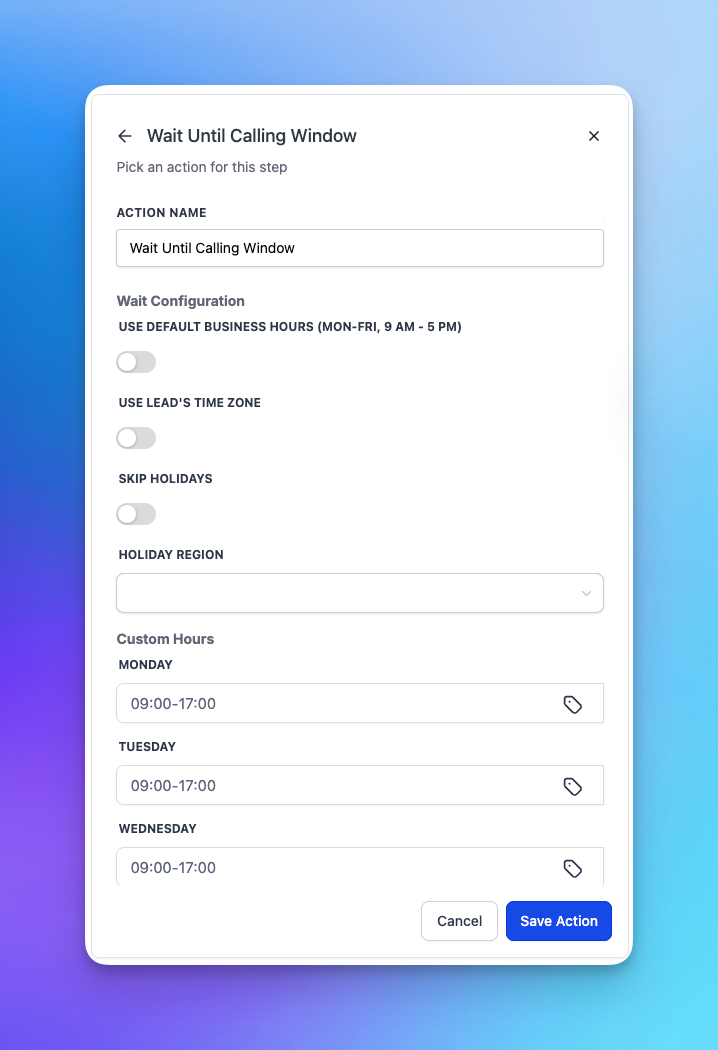
Choose the timing rules you want Sympana Connector to follow.
You can choose settings such as:
* standard business hours
* the lead’s local timezone
* holiday handling
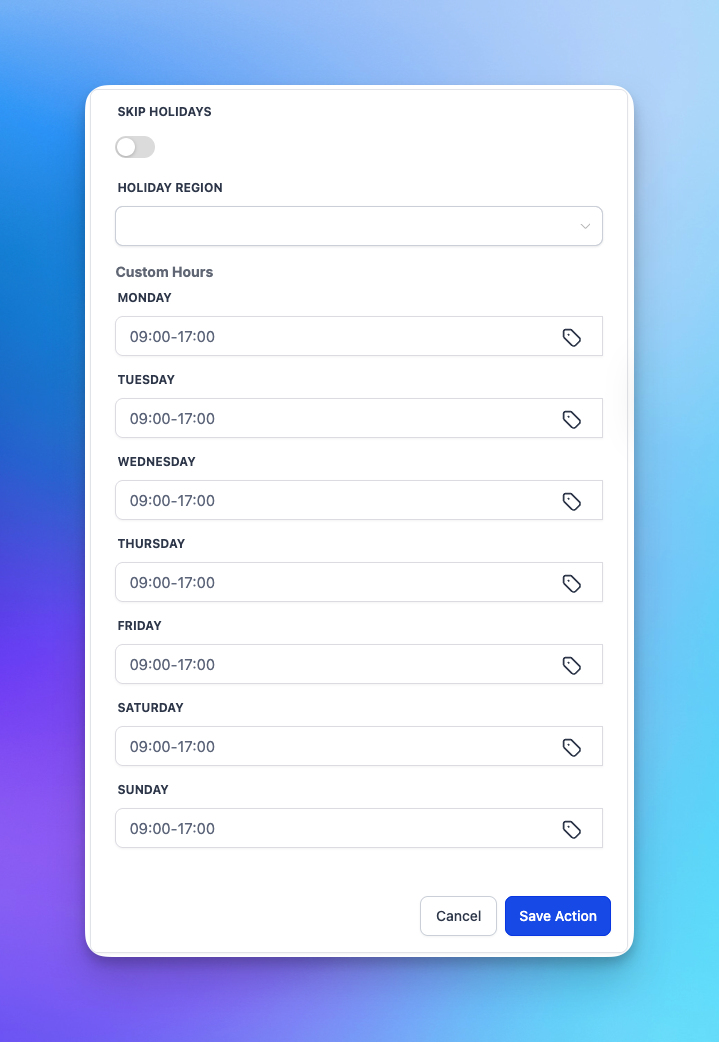
* custom calling windows
## Step 2. Choose the timing rules
Choose the timing rules you want Sympana Connector to follow.
You can choose settings such as:
* standard business hours
* the lead’s local timezone
* holiday handling
* custom calling windows
 ## Step 3. Save the action
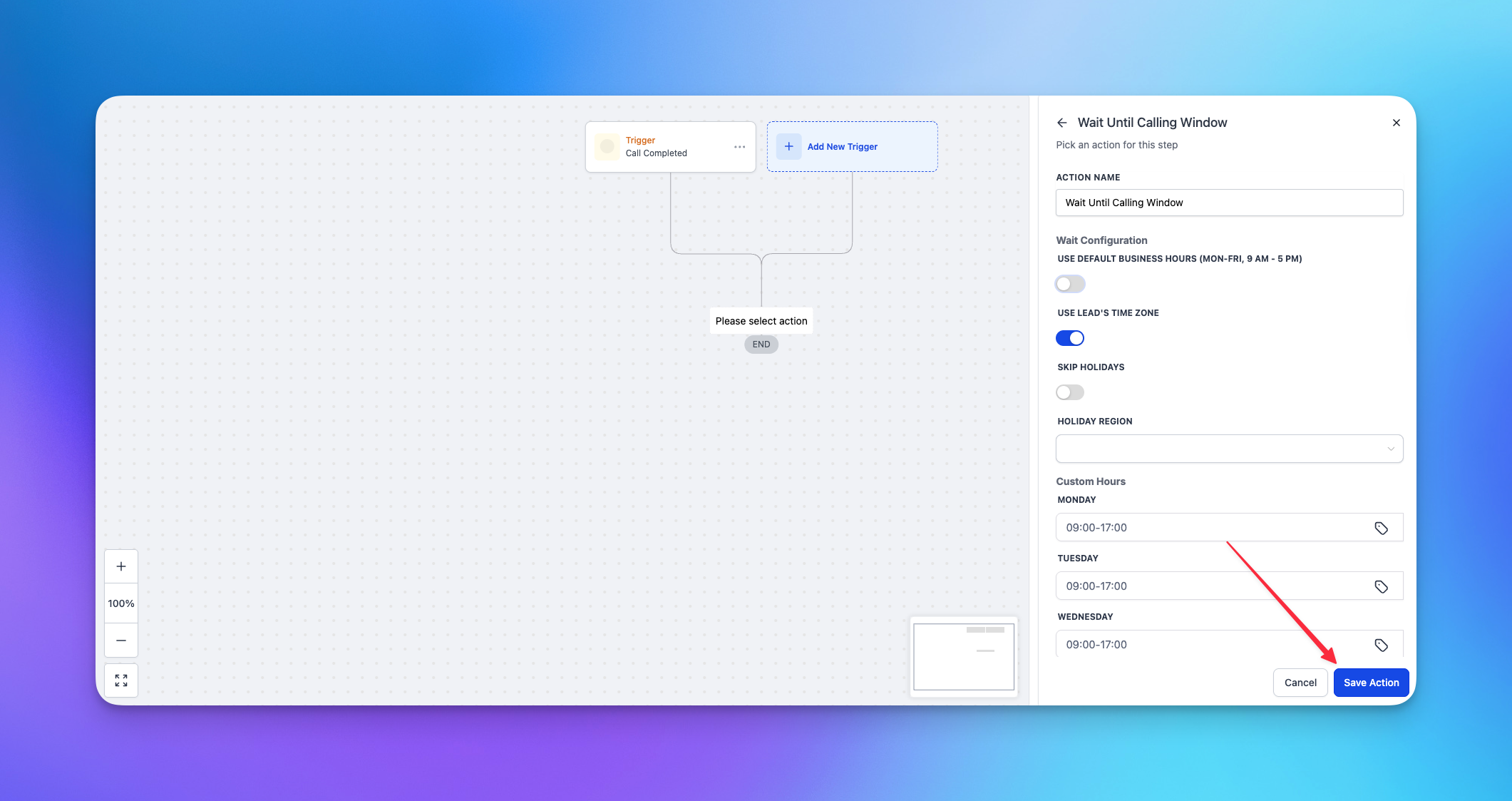
Once saved, the workflow will wait until the configured calling window is open before continuing.
## Step 3. Save the action
Once saved, the workflow will wait until the configured calling window is open before continuing.
 ## When to use this action
Use **Wait Until Calling Window** when:
* you are placing outbound calls across multiple timezones
* you want to avoid calling too early or too late
* you want more control than a normal GoHighLevel wait step can give you
## Best practice
Place this action before **Place Call** or **Place Call Smart Selection** in your outbound workflow.
If something is not working the way you expect, [join the Sympana Discord server](https://discord.gg/QXk7ddhmZQ) to get the fastest support from someone on the Sympana team.
## When to use this action
Use **Wait Until Calling Window** when:
* you are placing outbound calls across multiple timezones
* you want to avoid calling too early or too late
* you want more control than a normal GoHighLevel wait step can give you
## Best practice
Place this action before **Place Call** or **Place Call Smart Selection** in your outbound workflow.
If something is not working the way you expect, [join the Sympana Discord server](https://discord.gg/QXk7ddhmZQ) to get the fastest support from someone on the Sympana team.